Compare your profiles
Open Analytics.
Tap Profiles.
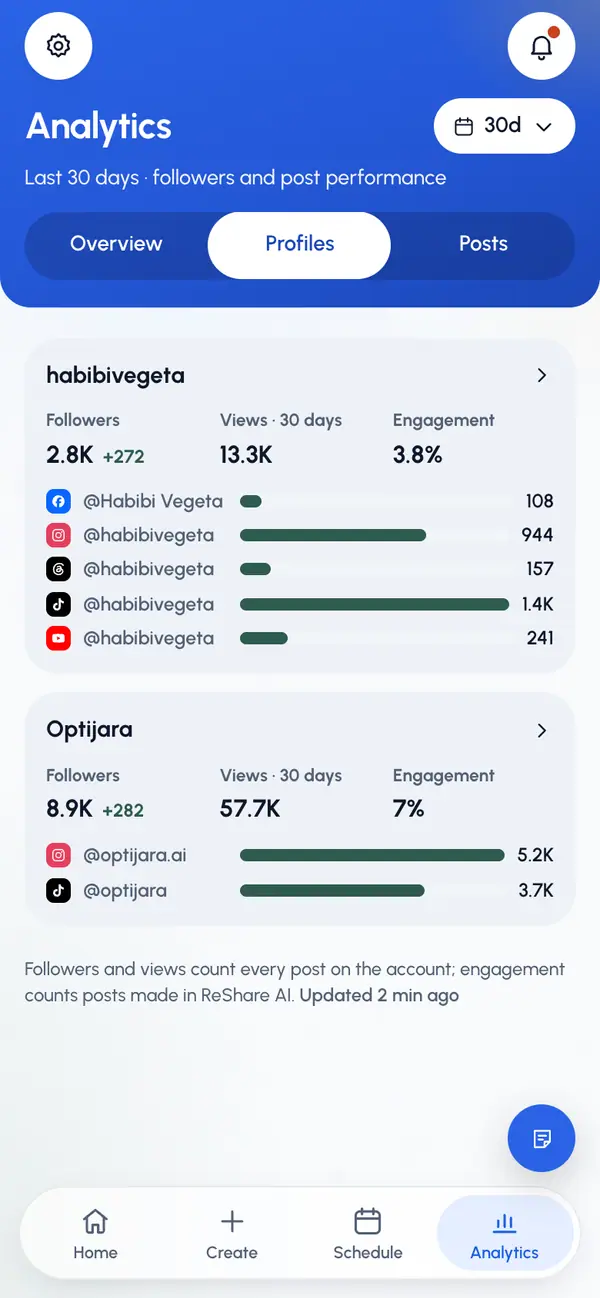
Each profile has a card with:
- Followers: all its connected accounts together, with the change over the range you picked.
- Views · 30 days: views on every post on these accounts in the last 30 days, not only ReShare AI posts. TikTok and YouTube report lifetime views, so they're left out of this number.
- Engagement: from the posts you made in ReShare AI in the range. On these cards it counts likes and comments per view.
- A followers bar for each account.
If you have no profiles yet, tap Create a profile.
Open one profile
Tap a profile's card.
Pick a range at the top of the page.
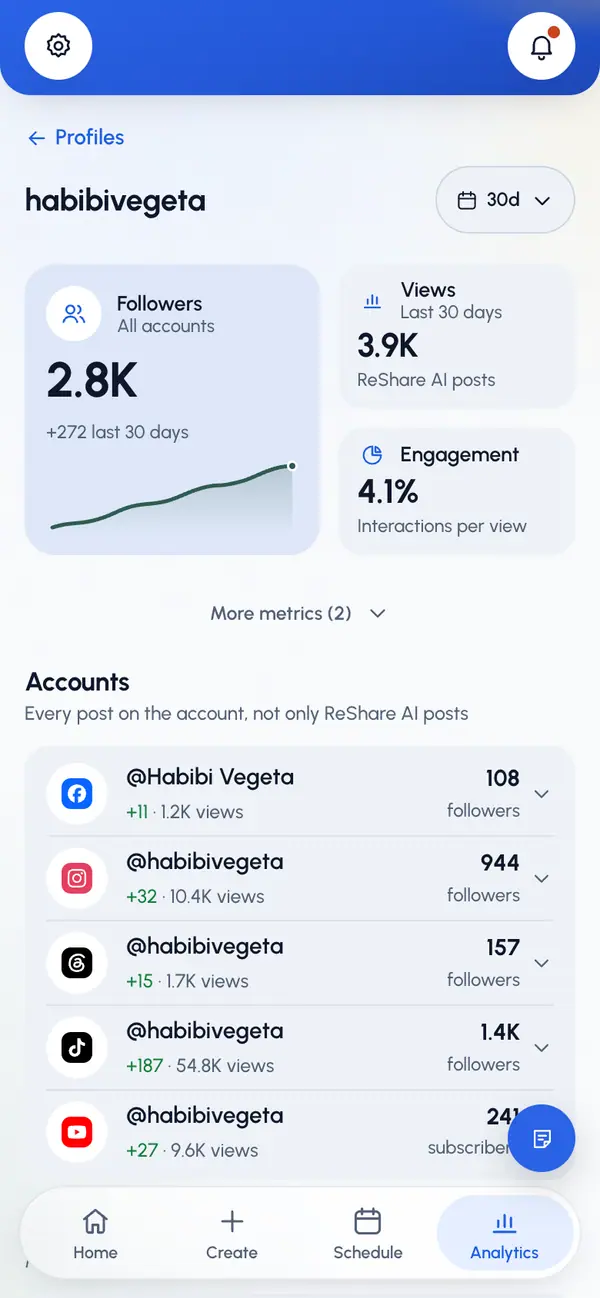
The page has two parts:
- Accounts: one row per connected account. Each shows its followers (subscribers on YouTube) and the change over the range. Below that are the account's own views, likes, comments and posts, counting every post on the account. A note says whether they cover the last 30 days, the account's lifetime, or aren't reported by that network.
- Posts: the posts you made in ReShare AI for this profile, ranked.
How follower history works
- ReShare AI saves each account's follower count once a day. Until there's a history, you see when tracking started instead of a change.
- For Instagram on the 30-day range, the change also splits into followers gained and lost.
- If an account needs to be reconnected, its numbers stop updating until you reconnect it. Tap Open Profiles to go to your profiles.