On this page
Open Analytics
Open Analytics. On a phone, it's a tab in the bar at the bottom. On a computer, it's in the menu on the left.
Pick a view: Overview, Profiles or Posts. On a phone, the views are chips under the title. On a computer, they're tabs.
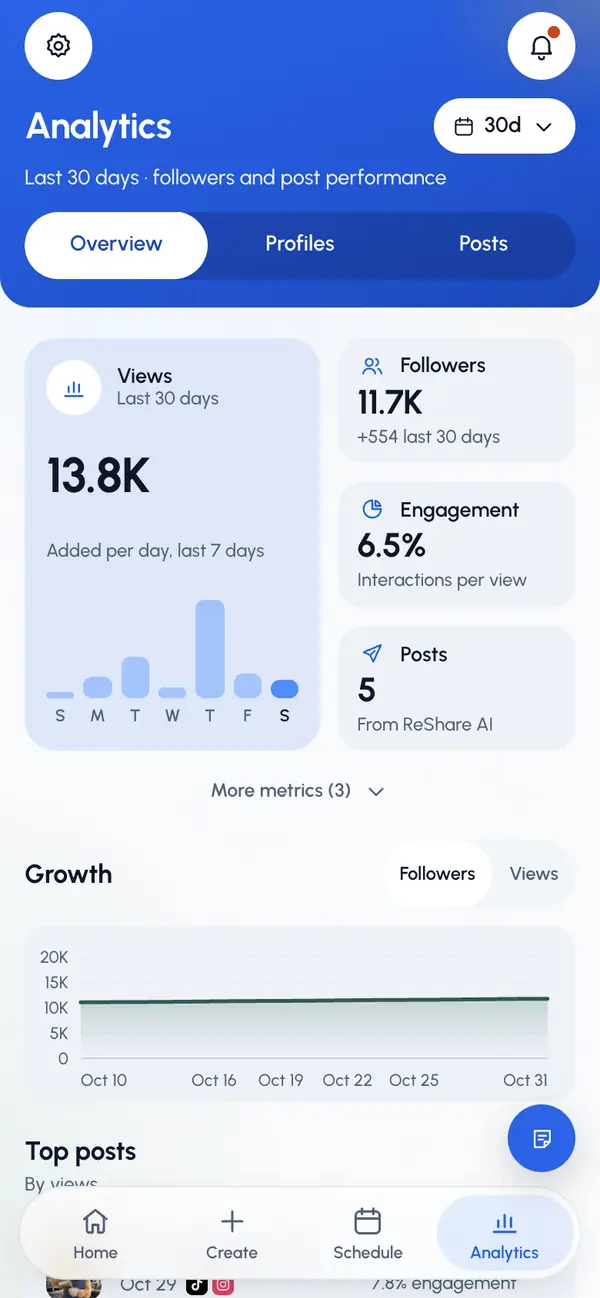
The three views
- Overview: your key numbers (views, followers, engagement and posts, plus likes, comments and shares), growth charts, your top four posts by views, views by network and the best time to post. More stats compares this month's activity with last month's. On a phone, tap Show to open it.
- Profiles: one card per profile. See Profile analytics.
- Posts: every published post, ranked. See Post analytics.
Range and filters
- Range: the last 7, 30 or 90 days, or all time. It starts at the last 30 days.
- Profile: shows only when you have more than one profile. It isn't on the Profiles view.
- Network and Sort: on the Posts view only.
On a computer, the range and filters sit in a row under the tabs. On a phone, tap the range button next to the title to open the range and the other filters. A dot on the button means another filter is on.

What the numbers mean
- Two kinds of numbers. Followers cover your whole connected accounts. Views, likes, comments, shares and engagement count only posts made in ReShare AI. Only published posts count.
- Engagement: likes, comments and shares divided by views, as a percent. It uses the networks that report views, likes and comments. Shares are added where the network reports them.
- Reach: the number the network itself reports. It shows on a post's network card when the network sends it.
- Completion: the percent of views that watched to 97% of the video. It shows only when the network reports it.
- A dash means the network didn't report that number. It never stands for zero.
When numbers update
- A new post's numbers show up about an hour after it goes live. Instagram can take up to 48 hours.
- Posts from the last 7 days update about every hour, posts up to 30 days old every 6 hours, and older posts once a day. Follower counts update at least once a day.
- Each page's footer says when its numbers were last updated. They refresh in the background as you browse; on a post's page you see "refreshing" while that happens.
- To refresh one post yourself, see Post analytics.