Sign out on this device
Tap the gear at the top of the screen.
Tap Sign out.
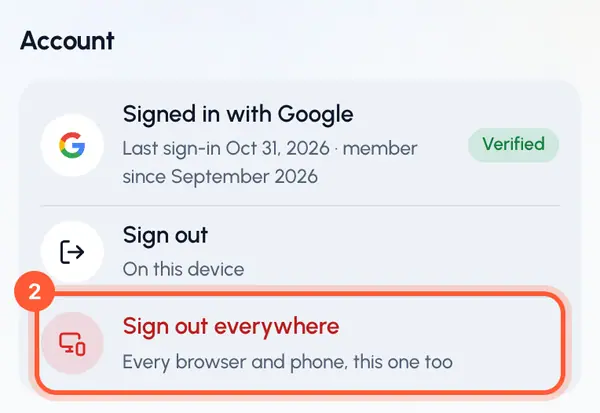
You can also do it in Settings: under Account, tap Sign out. Only this browser or phone is signed out. Any other device stays signed in.
Sign out everywhere
Use this if you signed in on a device you no longer use, or think someone else has access to your account.
Tap the gear at the top of the screen, then tap Settings.
Under Account, tap Sign out everywhere.
In Sign out on every device?, tap Sign out everywhere to confirm.
Every browser and phone signed in to your account is signed out, including this one. On your other devices you may see Signed out everywhere, sign in again. Sign in as usual to continue.
If you see Could not sign out everywhere, wait a moment and try again.
Agents keep working
Signing out, even everywhere, doesn't revoke the API keys you made for agents. To stop an agent, revoke its key under Connect your agent. See Keep your agent safe.
What stays the same
Signing out removes nothing from your account.