Home is the first page you see on the website after you sign in. It refreshes by itself while it's open.
Get started (new accounts)
A new account sees a Get started checklist with the four things a first post needs:
Connect your socials: opens Profiles.
Create a character: opens Characters.
Make your first swap: opens Create.
Post it: opens Create until you've made a swap, then Jobs so you can post it.
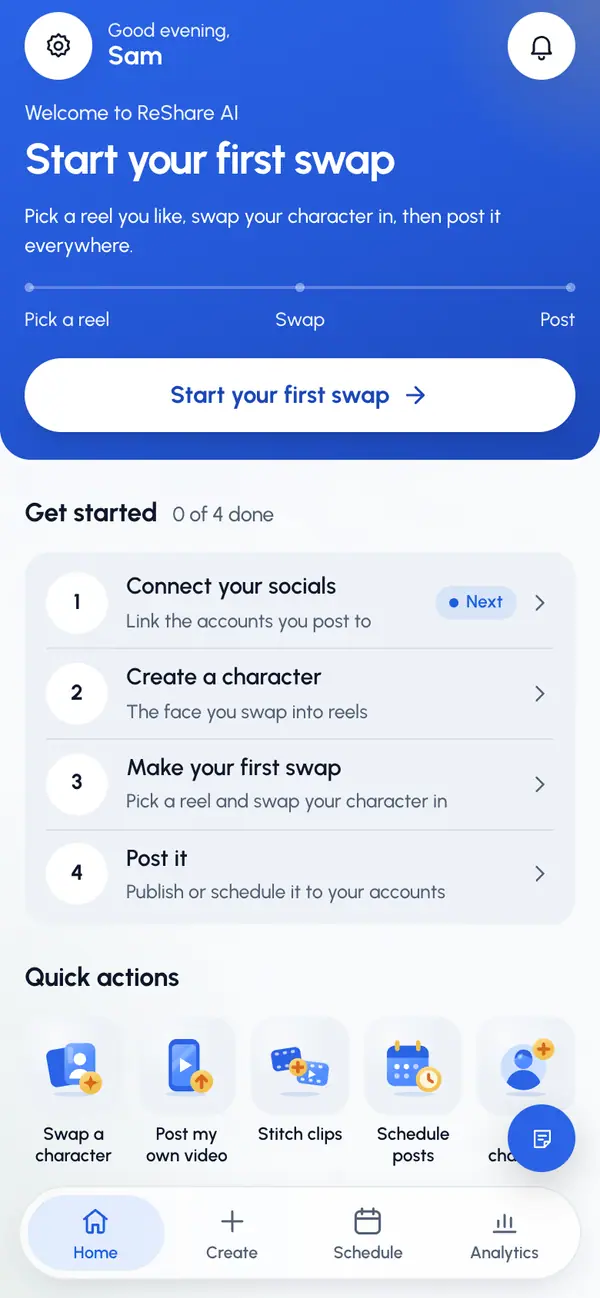
Each row ticks itself off as you do it, and shows Done or Next. The top card's Start your first swap button takes you straight to Create.
The checklist goes away for good after your first post is published or scheduled.
Your regular Home
From top to bottom:
- Your latest video: its status, such as waiting in line, ready, posted or needs a retry. Tap the arrow to open it.
- Quick actions: Swap a character, Post my own video, Stitch clips, Schedule posts and New character.
- In progress: videos being made and your next three scheduled posts. View all opens Jobs.
- This week: shows once you've published a post, with posts published per day, views over the last 7 days, videos made and, when plans are on, swaps left.
- Recent updates: the latest four updates. See all opens Activity. A failed video shows Retry: tap it to open that video.
- Your videos: your six latest videos. All opens Jobs.
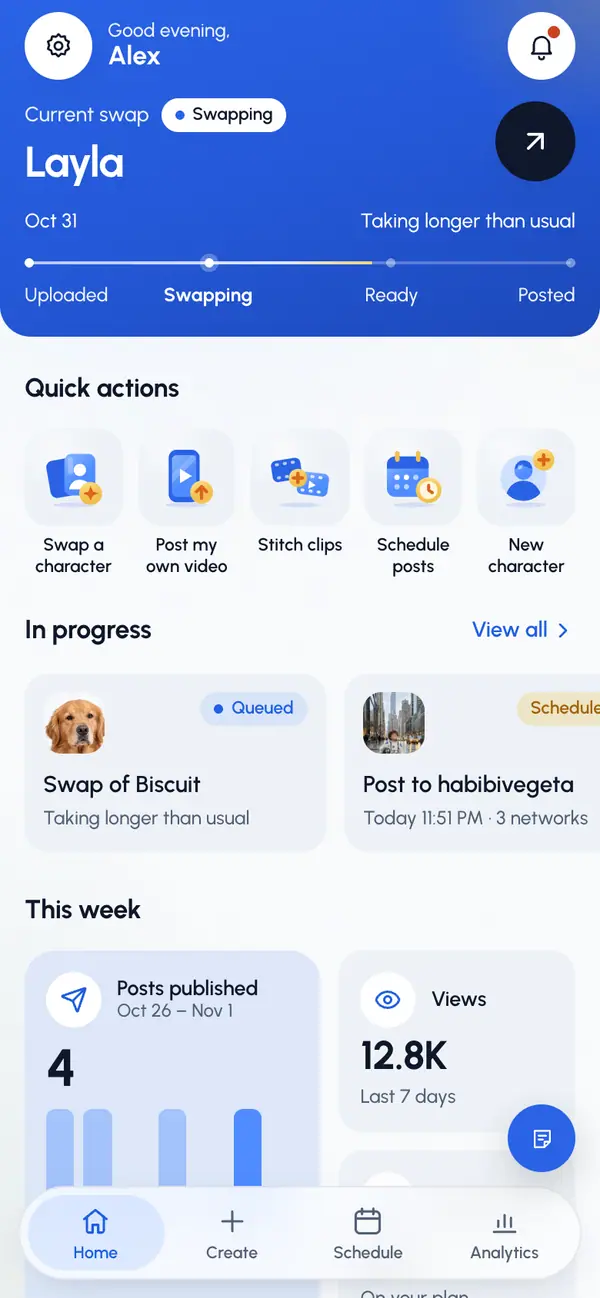
Each video tile has an options menu where you can delete it. You can't delete a video while it's being made, while a post of it is going out, or once it has been posted.