Sharing plans
Post one video to all your social networks at once
Upload the videos you already have, trim them, and post or schedule them to TikTok, Instagram, YouTube, Facebook, LinkedIn and Threads in one go. No AI needed.
Sharing plans from $9 a month



Networks
Every network, one post
Connect your accounts once. Every post can go to all of them together, each with its own caption.
TikTok
Caption, who can view, comments, Duet and Stitch, or send it to your TikTok inbox as a draft.
Instagram
Posted as a Reel with your cover frame, caption and a first comment.
YouTube
Posted as a Short with a title, a description and public, unlisted or private visibility.
Facebook
Posted as a Reel or a regular video, with a caption and a first comment.
LinkedIn
Caption and a first comment, on your profile or a page you manage.
Threads
Caption up to 500 characters and a first comment.
XComing soon
Not available yet. It joins the list as soon as it is ready.
Four steps
How it works
Four steps, on the web or in the iPhone and Android apps.
Upload your video
Pick a file from your phone or computer, or a video you made before in ReShare AI.
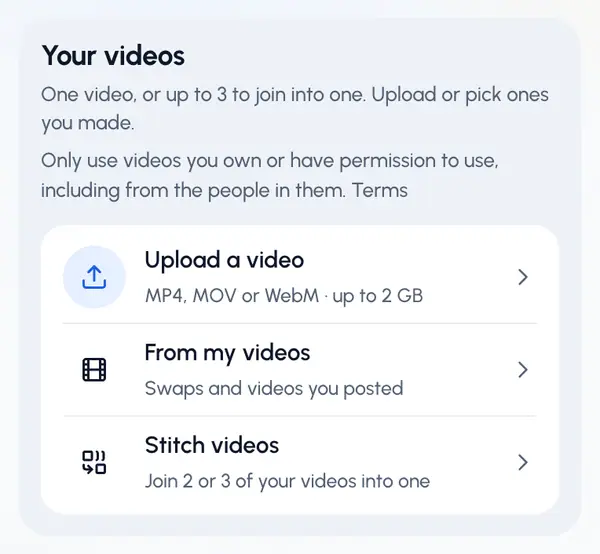
Trim and stitch
Cut it to the part you want, or join up to 3 clips into one video with a cut or a crossfade.






Choose the profile and its accounts
Pick the brand you are posting for, tick its accounts, and give each network its own caption, with a title for YouTube.
A profile is one brand with its own social accounts. Sharing plans include 1, 2, 5, or 10 profiles.
Post now or schedule
Post right away, or pick a day and time. Everything lands on one calendar.
 09:00
 20:00
 12:30
 18:00
 10:00
Features
Everything you need to post your own videos
A caption per network
Write one caption for every account, then change it for any network. A title for YouTube.
Schedule and queue
Pick a day and time, or add posting times to a profile and let the queue fill them.
One calendar
Every post you made or planned, across all networks, on a monthly calendar.
Analytics
Views and engagement for each post and each profile, in one place.
Upload from anywhere
MP4, MOV or WebM from your phone or computer.
Trim
Drag the start and end handles to keep only the part you want.
Stitch up to 3 clips
Join your clips into one video with a hard cut or a crossfade.
First comment
Add a comment that goes up right after your post, where the network allows it.
Several brands
A profile for each brand or client, each with its own accounts. Up to 10 profiles on Share Business.
Web, iPhone and Android
Post from the website or the apps. Your plan is the same everywhere you sign in.
From your AI agent
Ask Claude, ChatGPT, Codex or another AI agent to post or schedule a video. It shows you the post and waits for your yes.
AI agents
Post from your AI agent
Connect ReShare AI to the AI agent you already use and ask in plain words. It uploads your video, picks the accounts, shows you a preview and posts or schedules it only after you say yes.
- You
Post this video to TikTok and Instagram for Café brand tomorrow 9am
- Your agent
Here’s the preview. Nothing is sent yet.
Preview
- Profile
- Café brand
- Accounts
- TikTokInstagram
- When
- Tomorrow, 9:00 AM
- Uses
- 2 posts from your plan
Shall I schedule it?
- You
Yes, schedule it
- Your agent
Scheduled for TikTok and Instagram, tomorrow at 9:00 AM.
- Sign in, no keyClaude and ChatGPT connect with your ReShare AI login. Coding tools use a personal key you can revoke.
- Your videos or AI swapsPost videos you already have, or swap your AI character into a video first.
- Preview first, alwaysYour agent shows you every post and publishes only after you agree. Disconnect it at any time.
Works with
- ClaudeBeta
- ChatGPTBeta
- Claude Code
- Codex
- CursorBeta
- VS CodeBeta
- Gemini CLIBeta
- WindsurfBeta
- GrokBeta
- any MCP client
Pricing
Sharing plans
For the videos you already have. Monthly or yearly, in USD. Yearly billing gives 2 months free.
Free
Post your own videos everywhere.
- No AI swaps
- 1 character, 3 free regenerations each
- 5 own-video uploads a month
- 1 profile × 2 accounts
- 5 posts a month
Share
Post your own videos everywhere. No AI.
- No AI swaps (add a swap pack any time)
- 1 character, 3 free regenerations each
- 15 own-video uploads a month
- 1 profile × 4 accounts
- 150 posts a month
- Trim, stitch and caption your videos
- Schedule posts and see analytics
Share Pro
Most popularYour own videos, for a couple of brands.
- No AI swaps (add a swap pack any time)
- 1 character, 3 free regenerations each
- 30 own-video uploads a month
- 2 profiles × 5 accounts
- 300 posts a month
- Trim, stitch and caption your videos
- Schedule posts and see analytics
Share Team
Your own videos, for teams and their brands.
- No AI swaps (add a swap pack any time)
- 1 character, 3 free regenerations each
- 100 own-video uploads a month
- 5 profiles × 6 accounts
- 1,000 posts a month
- Trim, stitch and caption your videos
- Schedule posts and see analytics
Share Business
Your own videos, for many brands.
- No AI swaps (add a swap pack any time)
- 1 character, 3 free regenerations each
- 200 own-video uploads a month
- 10 profiles × 7 accounts
- 2,000 posts a month
- Trim, stitch and caption your videos
- Schedule posts and see analytics
Free plan: post your own videos at no cost, with smaller allowances. A post counts once for each account it goes to.
Want AI too? Add a swap pack any time to put your character into a video, or move up to a plan with AI swaps every month.
Compare
ReShare AI and other scheduling tools
The entry paid plan of each tool, as its own pricing page shows it, in USD a month. Some tools only publish a price billed yearly. Each tool has its own features and limits, so check its page for the full picture.
ReShare AI
- Entry paid plan
- Share
- Price
- $9 a month
- What the price covers
- The plan: 1 profile with up to 4 accounts, 150 posts a month
Buffer
- Entry paid plan
- Essentials
- Price
- $6 a month
- What the price covers
- Per channel: each social account is priced separately
Later
- Entry paid plan
- Starter
- Price
- $18.75 a month, billed yearly
- What the price covers
- The plan, with 8 social profiles
Metricool
- Entry paid plan
- Starter
- Price
- $25 a month
- What the price covers
- The plan, with up to 5 brands
Hootsuite
- Entry paid plan
- Standard
- Price
- $99 a month, billed yearly
- What the price covers
- Per user, up to 10 social accounts
FAQ
Questions, answered
Post your next video everywhere
Start free, connect your accounts and send your first post in minutes.