On this page
Deleting your account removes it and all its data for good. It can't be undone. If you only want to stop paying, see Cancel your plan instead.
Delete it yourself
Open Settings. On a phone, it's in the account menu (the gear at the top).
Under Privacy & data, tap Delete account. You can also open the account deletion page directly.
Check the page. It shows the email you're signed in with and how many characters, videos, posts and connected social accounts will go. If you have a paid plan, it says the plan is canceled first, so you won't be charged again.
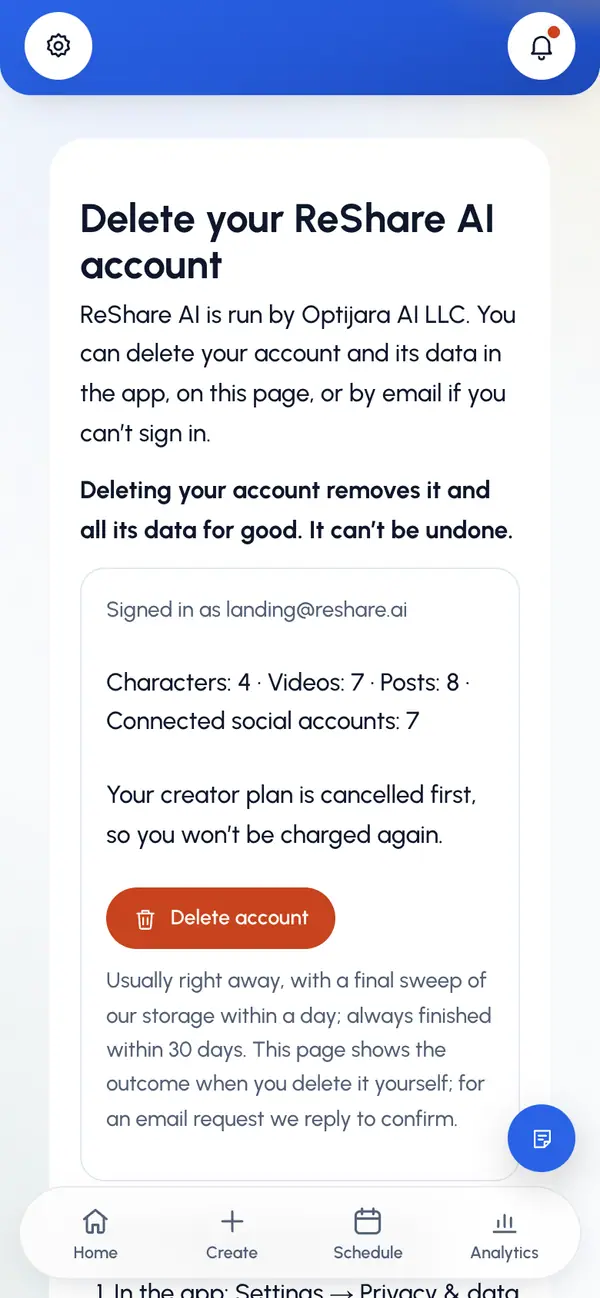
Tap Delete account.
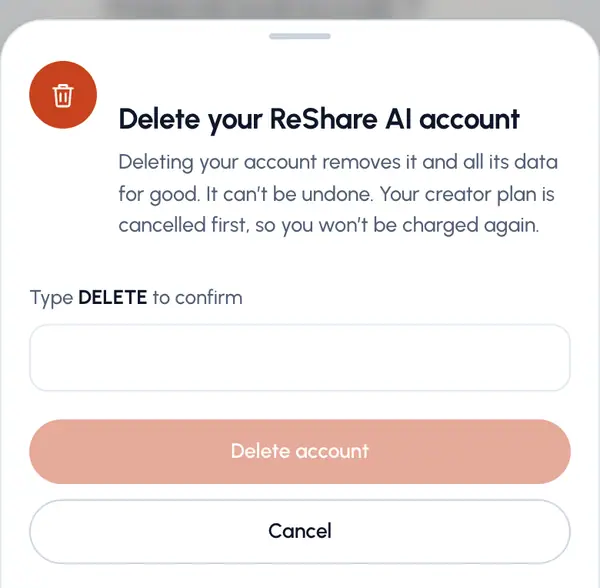
Type DELETE in the box, then tap Delete account again.
You're signed out, and the page confirms the deletion. If a step needs more time, it says your account is closed and the deletion finishes within 30 days.
If you can't sign in
When you're signed out, the account deletion page offers Sign in to delete. If that isn't possible:
Under Can’t sign in?, enter the Email of the account.
Tap Send code.
Check that inbox for a code and type it in the Code from the email box. This proves the address is yours.
Tap Confirm and request deletion.
Our team deletes the account within 30 days and confirms in the Support conversation for that email. If your plan renews before we finish, we refund that charge.
What we delete
- Your account and sign-in.
- Your characters and their pictures, including the reusable character stored at Kling.
- Your videos, uploads and the source videos we stored.
- Your posts, schedules and public watch pages.
- Your connected social accounts. They're disconnected and our access is revoked.
- Your devices, notification settings, usage history and API keys.
What we keep
- Invoices and payment records held by Stripe, our payment provider, because tax and accounting law requires it. We don't keep card details.
- Posts already published on TikTok, Instagram, YouTube or other networks. Delete them on each network.
- A record of what you agreed to, with your email and the links of videos you published, for 3 years to defend legal claims. We also keep a record that the account was deleted, under an internal id, and security log entries.
- Support conversations, until you ask us to delete them.
- Reports other people filed about your content, for as long as we need them to protect the service.
How long it takes
When you delete it yourself, it usually happens right away, with a final sweep of our storage within a day. An email request is finished by our team. Either way, it's always finished within 30 days.
Want a copy first? Use Download my data before you delete. See Your data and privacy.