Find your videos
Open Jobs. On a computer, it's in the menu on the left. On a phone, tap the gear at the top, then Jobs.
The list shows your swaps and your own videos, newest first, with the 50 most recent. Each row shows its status, such as Queued, Swapping, Ready or Failed. A swap that's being made shows about how long is left.
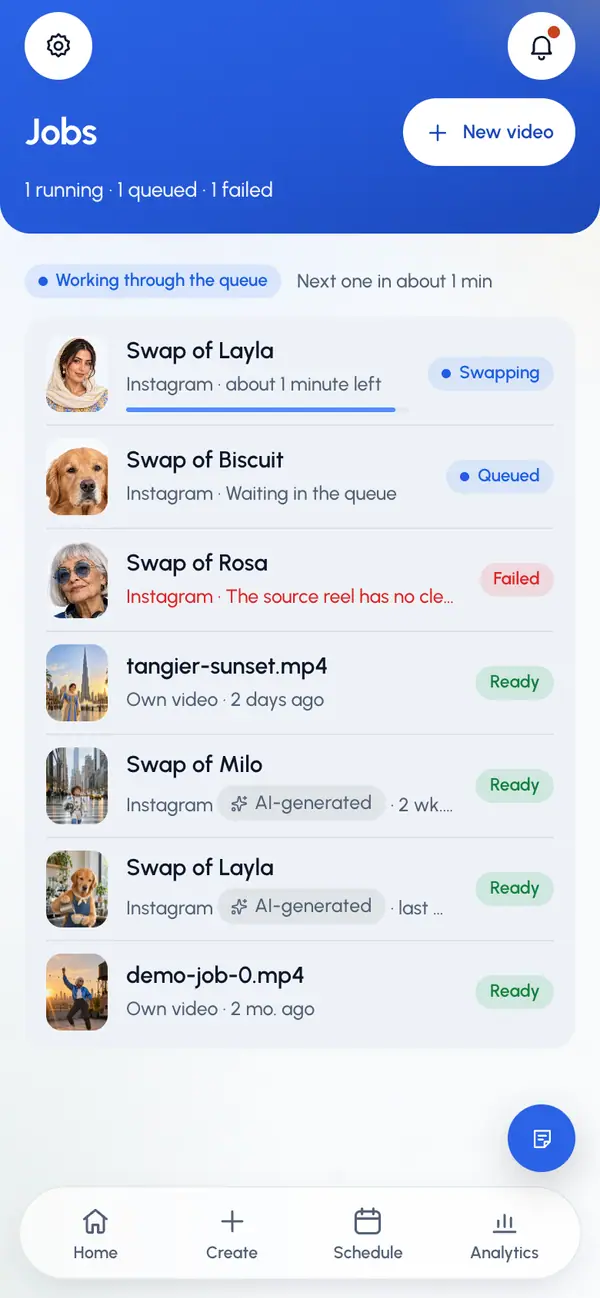
Tap a row to open the video's page. To make a new one, tap New video.
On a video's page
When a video is ready, it plays at the top. Tap Post or schedule to post it to your networks or schedule it. Once it has posts, the button says Post again, and its posts are listed below.
Tap More (the three dots) for more:
- Download: save the finished video. Only for ready videos.
- Open the original reel: open the video you swapped from, for swaps made from a link.
- Start another swap or Post another video: start a new one.
- Delete video: remove it. Only for ready or failed videos.
- Report: tell our team something is wrong with it. Only for ready or failed videos. See Report content.
Finished swapped videos show an AI-generated tag in the app, on the video's page and in the list. Your own uploaded videos don't.
Delete a video
On the video's page, tap More.
Tap Delete video.
Confirm. The video is deleted for good, with its unsent drafts. If it has scheduled posts, they're cancelled first.
You can't delete a video while it's being made, while one of its posts is going out, or once it has published posts.
When a swap fails
The page says what went wrong, when the reason is known. A failed swap can't be restarted where it is, and a finished video can't be redone. You start a new swap instead.
Tap Try again.
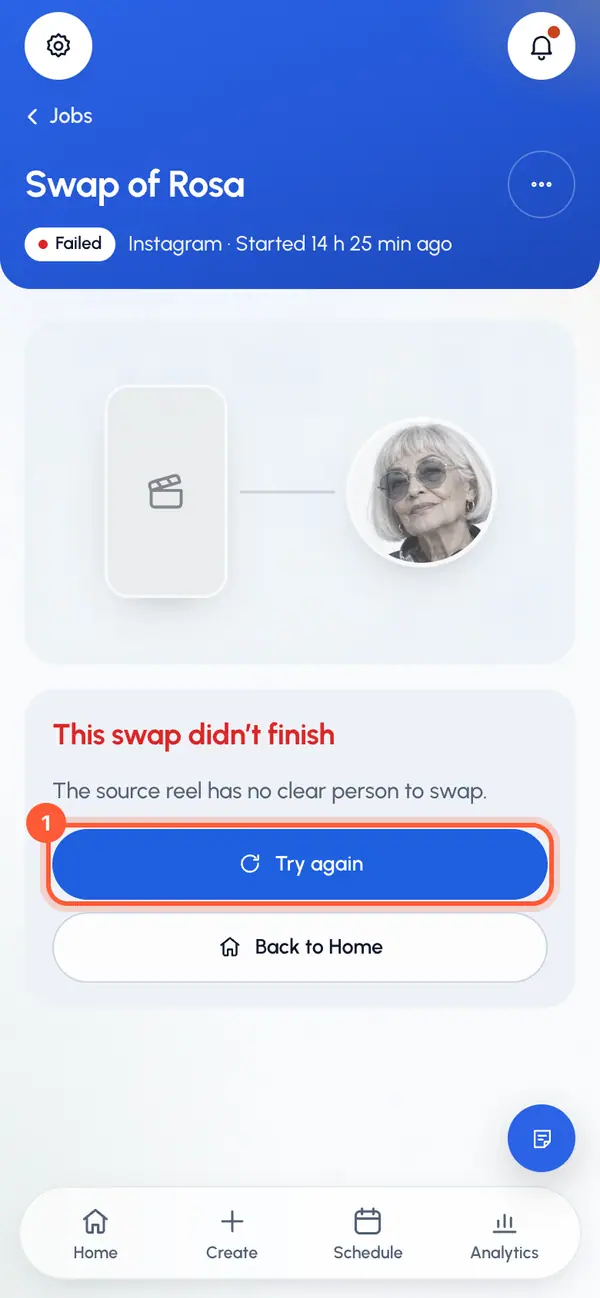
Create opens with the same link already filled in. For an uploaded video, Create opens empty, so upload it again.
Go through the steps again. You can pick another part of the video or another character.
If your plan counts swaps, a swap that fails doesn't count against your plan.
If an own video fails, Try again opens Post your own video from the start.